

Recent Feature Highlights – PIAM Suite
We are excited to announce the latest new features of our Physical Identity & Access Management (PIAM) Suite.
These features help you to give your users access with the identity provider you already trust, and to offer visitors a self-service arrival that meets your security requirements. The most important enhancements are:
Sign in with your own Identity Provider
Your users can sign in with the account they already have. Connect the identity provider your organisation runs, and your people reach the PIAM Suite with the credentials and the security policy they use everywhere else.
- Use your corporate identity provider across the portals of the PIAM Suite, including the User Self Service Portal.
- Works with Microsoft Entra ID and with any standards-compliant provider.
- Your existing security policy, including multi-factor authentication, applies unchanged.
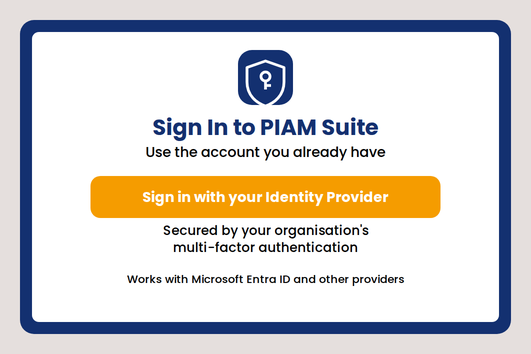
Example use case: An organisation that has standardised on its corporate identity provider connects it once. Staff sign in with the account they already use, and when someone leaves, disabling their corporate account removes their access here too.
Benefits:
- Your identity provider, your policies, your joiners and leavers process.
- Fewer passwords for your users to remember and for us to hold.
- Access follows your directory instead of a separate user list.
Visitor Management: More Kiosks, specified for each Entrance
You can now run more than one kiosk at an entrance, each specified for the way that entrance receives visitors. You order the configuration your entrances need, rather than fitting your site around a fixed appliance.
- Choose from several standard kiosk configurations, specified to suit each of your entrances.
- Place kiosks at any site and any entrance, including several at one entrance.
- Keep an overview of all the kiosks you operate and their current condition.
- We work through the specification with you and support you in bringing your kiosks into service.
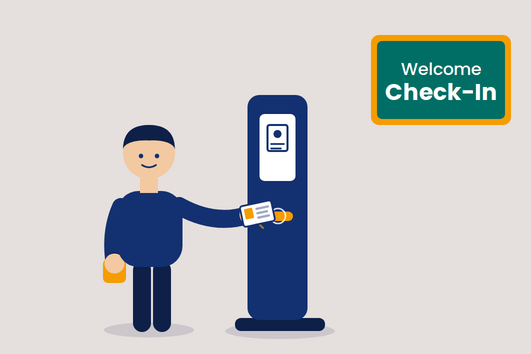
Example use case: A headquarters reception hall handles a morning peak of contractors and visitors. Three kiosks at the same entrance take the routine arrivals, and reception staff give their attention to the visits that need a person.
Benefits:
- Arrivals are handled in parallel, so a morning peak does not become a queue.
- Reception staff give their attention to the visits that need a person.
- A kiosk that matches how your site actually receives visitors, rather than a fixed appliance.
- You always know how many kiosks you operate and whether they are working.
Visitor Check-in that fits each Site
Each entrance can now follow the check-in flow that suits it. You decide how visitors are received at each site and for each organisation you host - which flow applies, how thoroughly their identity is confirmed, and what they are given before they go in.
- Choose which check-in flow applies at each site and for each organisation.
- Require the host to be present, or have an escort collect the visitor, wherever your security calls for it.
- Choose the level of identity assurance each location requires.
- Adjust it yourself as your security requirements change.
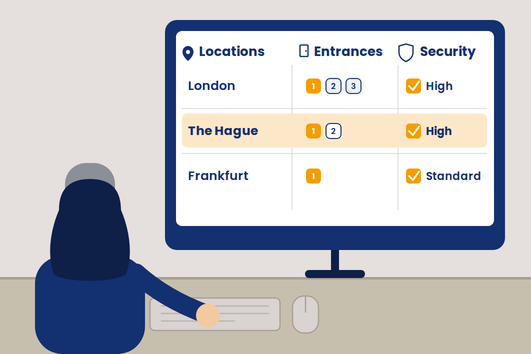
Example use case: A manufacturing site has visitors collected by an escort at the main gate, while its adjacent office entrance asks only that the host is present. Both run on the same kiosks.
Benefits:
- Each entrance applies exactly the level of control it requires.
- A high-security site sets its own rules without imposing them on the rest of your estate.
- Changes are yours to make, without a change request to us.
Visitor Identification at the Kiosk
Where your security requires a higher level of assurance, a kiosk can confirm that the visitor is the holder of the identity document they present. The kiosk compares the photograph in the document with the person standing at it.
- Confirm a visitor's identity at the kiosk, to the same standard at every entrance and on every shift.
- Apply it only where you need it - identification is optional and set per site.
- Visitors are told what will happen before it happens, and give their agreement as part of the check.
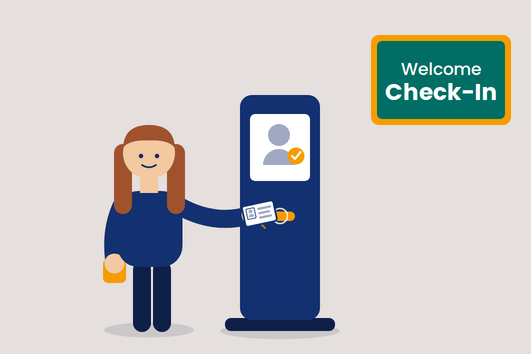
Example use case: A site admitting contractors to a restricted production area confirms at every visit that each contractor is the holder of the document presented, and does so as quickly as an ordinary check-in.
Benefits:
- A consistent standard of identification, independent of who is on the desk.
- Higher assurance where you need it, without slowing arrivals down.
- Your staff are supported by the check rather than asked to judge a photograph themselves.
Unescorted Visitor Check-in requiring Host Presence
A new check-in flow: the visitor completes check-in on their own, but is admitted only once their host is confirmed present. Until then they wait in the lobby, and everyone involved is kept informed without having to watch a screen.
- Require the host's presence for the visits where that matters.
- Hosts confirm they are there for the visitor they are expecting.
- A waiting visitor is invited to continue as soon as their host is available.
- Reception can see who is not yet available, reach them, or pass the visit to a colleague.
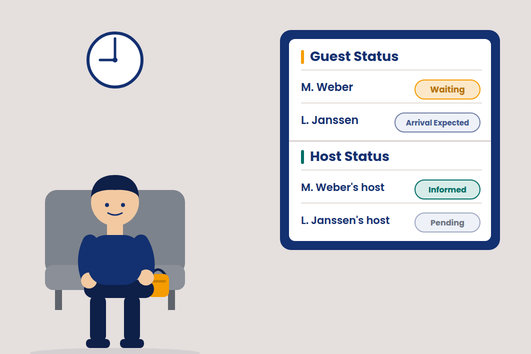
Example use case: A supplier arrives for a nine o'clock meeting while the host is still on the way. The visitor waits in the lobby, and is invited to continue as soon as the host confirms they are available.
Benefits:
- Visitors are admitted only when someone is there to receive them.
- Hosts and reception know where a visit stands without chasing each other.
- Reception keeps control of every exception.
Escorted Visitor Check-in with Pickup from the Waiting Area
A new check-in flow: the visitor waits in the waiting area and is collected there by their host or a named escort. The collection is a recorded hand-off to that person, so your records show who took responsibility for whom.
- The host and each named escort are told when their visitor is waiting, and come to collect them.
- Each of them collects on their own authority, with their own code - never one shared around a team.
- Escorts can be added to a visit at short notice and are told which visitors are theirs.
- Every collection is recorded against the person who made it.
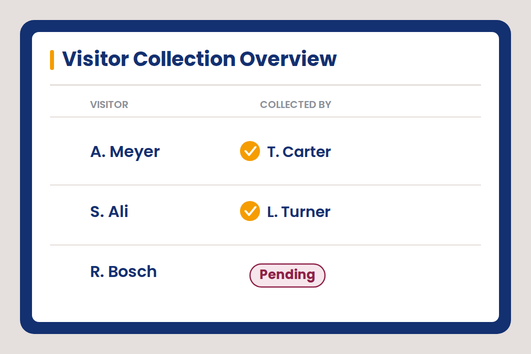
Example use case: An escort is added to a group visit an hour before it begins. They are told when the visitors are waiting, collect two of the six from the waiting area, and the record afterwards shows exactly which two they took responsibility for.
Benefits:
- The visitor is accompanied from the moment they leave the waiting area.
- Responsibility for every visitor is attributable to a named person.
- Late changes to who escorts whom are handled without involving reception.
Your Own Visitor Label and Ticket Designs
The labels and tickets your kiosks print can now look the way you want them to. You design them yourself, and see exactly what a visitor will be given before anyone receives one.
- Design your own visitor labels - a self-adhesive label to apply to a visitor badge or card - and your own printed tickets.
- Show the information that matters at your sites.
- Reuse a design across every kiosk in an organisation.
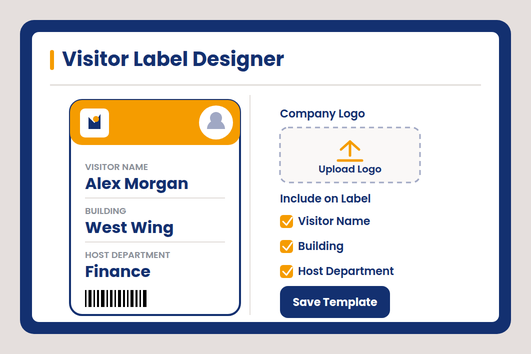
Example use case: A site wants its visitor labels to carry the building name and the host's department next to the visitor's name. The design is changed and in use the same afternoon.
Benefits:
- Your labels and tickets carry your identity, not ours.
- A change takes minutes and does not depend on us.
- Every entrance issues something consistent.
For more information about all new features, contact your local Sales Representative personally or reach out to us.
Let’s boost your physical identity and access management to enhance security and increase compliance!